A design tool that runs in your browser and works with your own AI
Just fig it out.
Say the app you want. Get real, editable screens from the AI you already pay for, then make them yours by hand. No seats to rent, and the file stays on your machine.

SeatsLoginsTheir AI, their meterFiles on someone else's server- Your AI, your file, a browser tab.
Bring your own AI
Plug in the AI you already pay for.
Paste your key once. unfig adds no markup, you pay your provider directly, and your key never touches our servers.
- ClaudeAnthropic
- OpenAIGPT models
- GeminiGoogle
- OpenRouterMany models
- GroqFast inference
- MistralOpen weights
- DeepSeekReasoning models
- OllamaLocal · free · offline
- Your key stays in your browser
- Requests go straight to the provider
- Switch models any time

Interview me
Tell it the idea. Get the app.
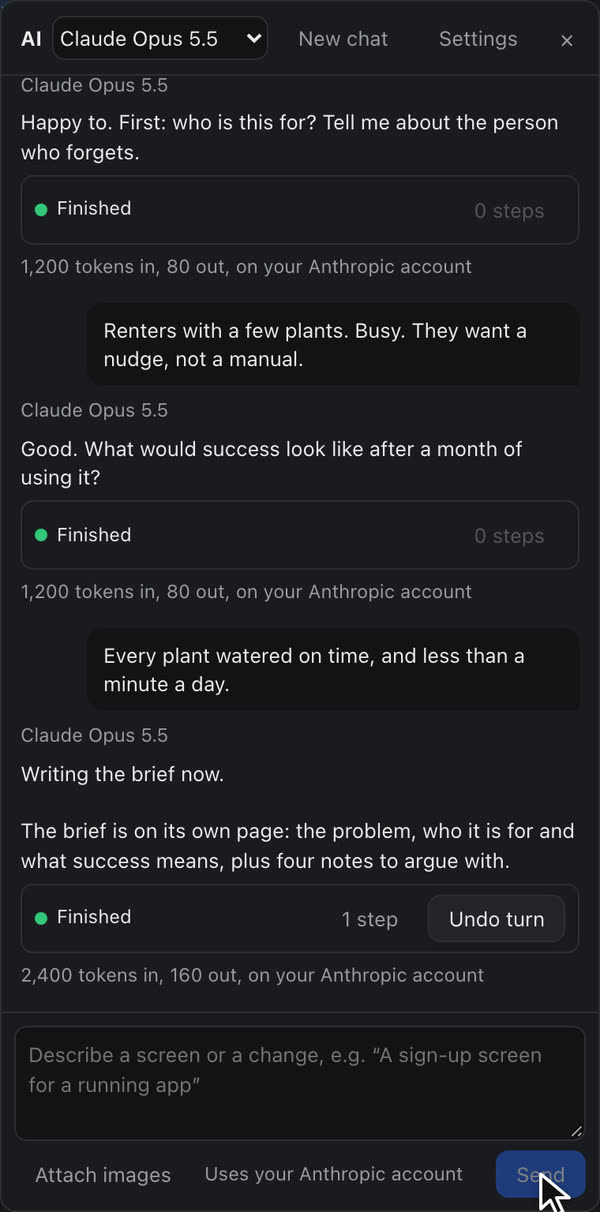
Connect your AI, describe what you want, and answer a few questions. On the left, the conversation. On the right, the same moment in unfig.
AI settings
Key kept for this tab. It goes to Anthropic and nowhere else.
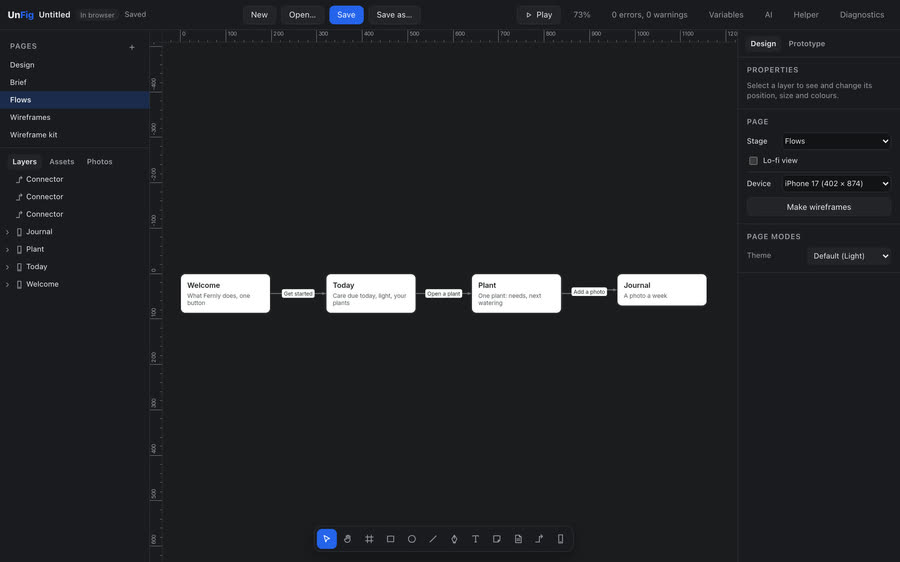
The result, made in unfig
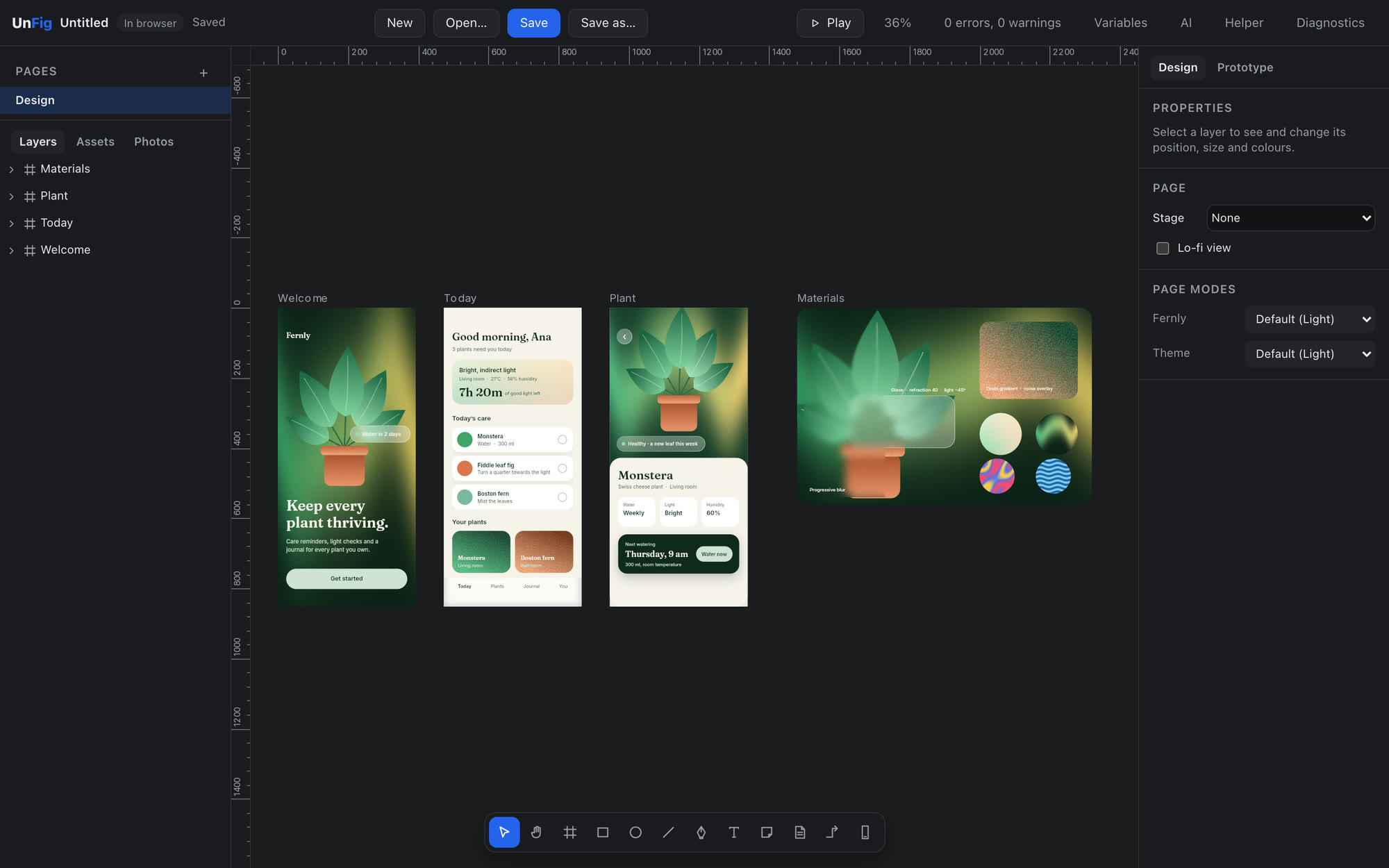
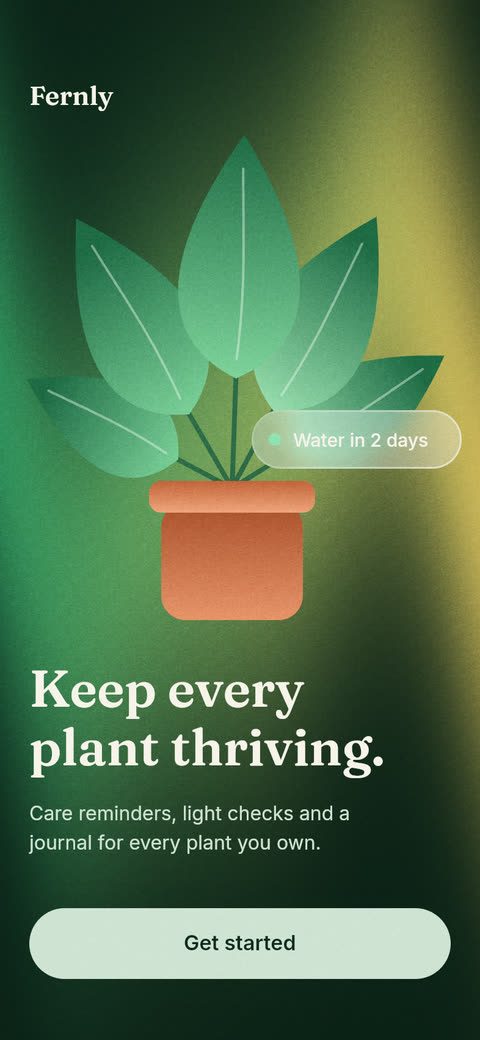
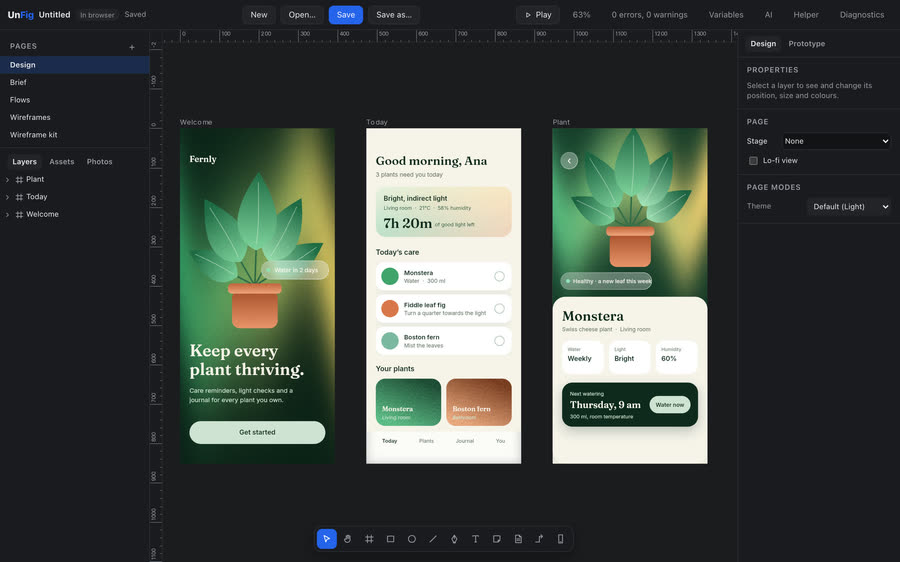
A plant app called Fernly, from one sentence to three screens.
Every pixel in these screens is a layer you can grab: the aurora behind the welcome, the grain on top of it, the glass chip that bends the leaves.
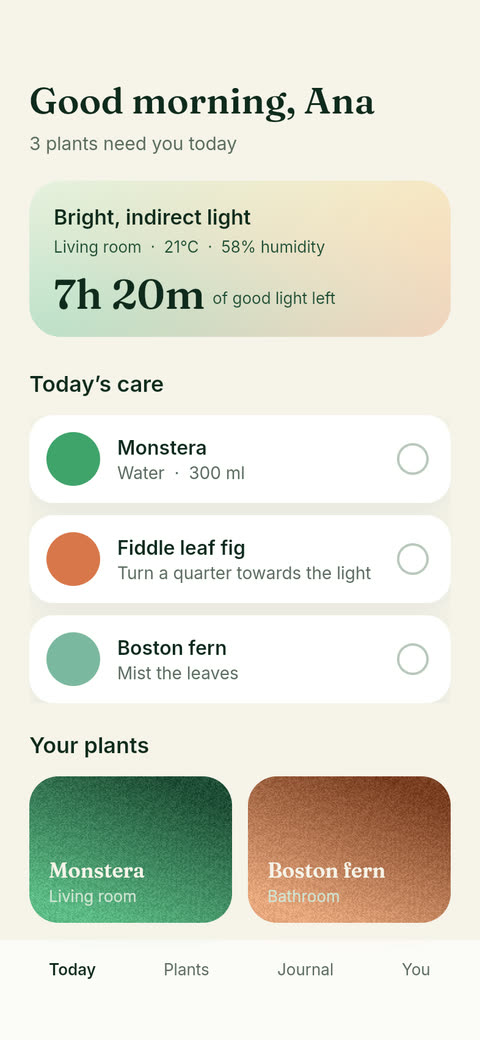
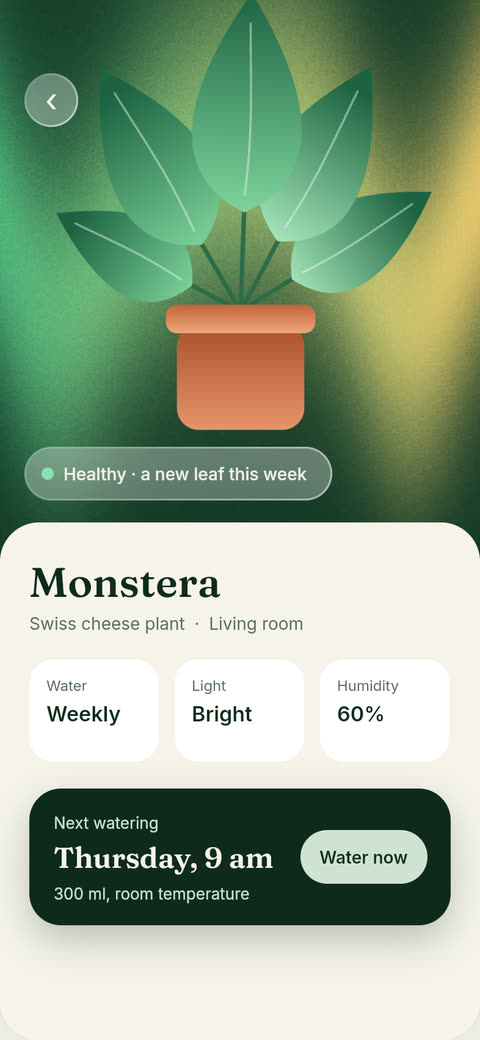
The whole journey, recorded in the app
Key, interview, brief, flow and screens, start to finish.
From a sentence to something you can tap.
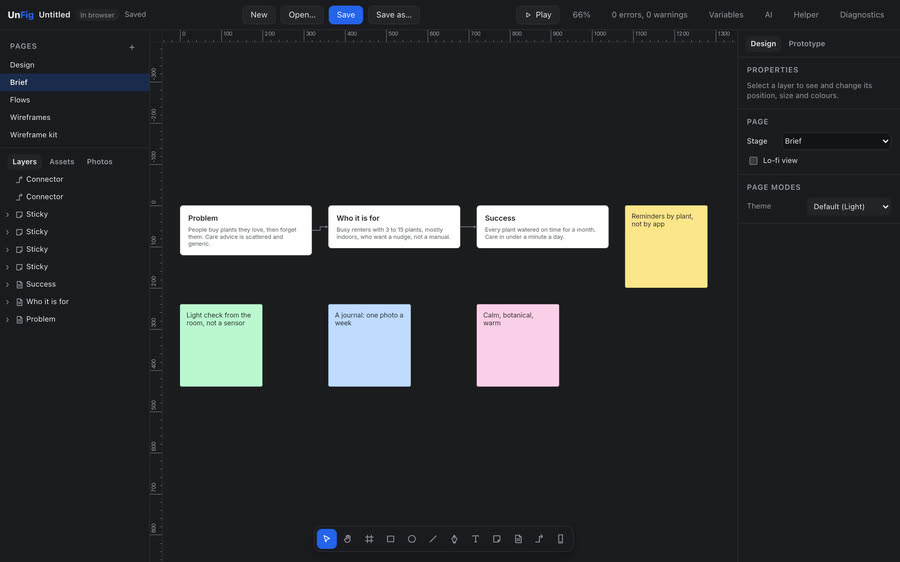
Five stages in one file. Each gets its own page, so the brief and the finished screens stay side by side, and you can always see how you got here.
- 01
Brief
Say “interview me” and it asks what a good designer would ask, one question at a time. Your answers become a brief you can move around and argue with.
- 02
Flows
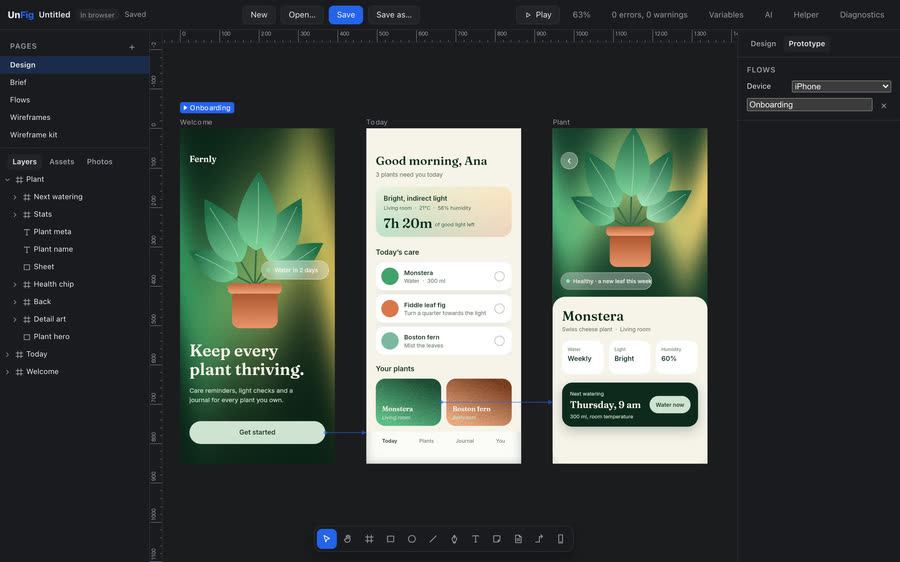
Every screen in the order people meet it, with arrows that say what they tapped to get there.
- 03
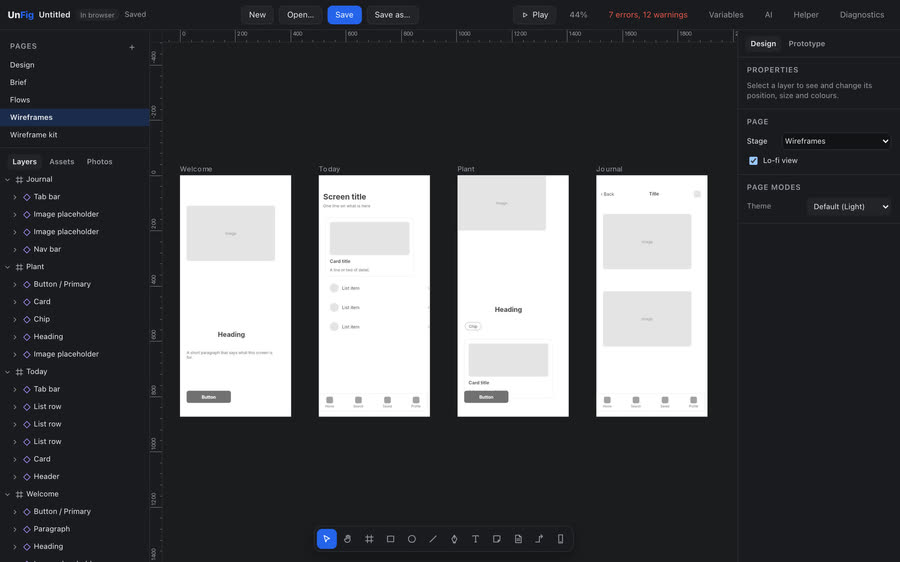
Wireframes
Grey boxes first. A phone-sized frame for each screen, blocked out from a kit, before anyone argues about colour.
- 04
Design
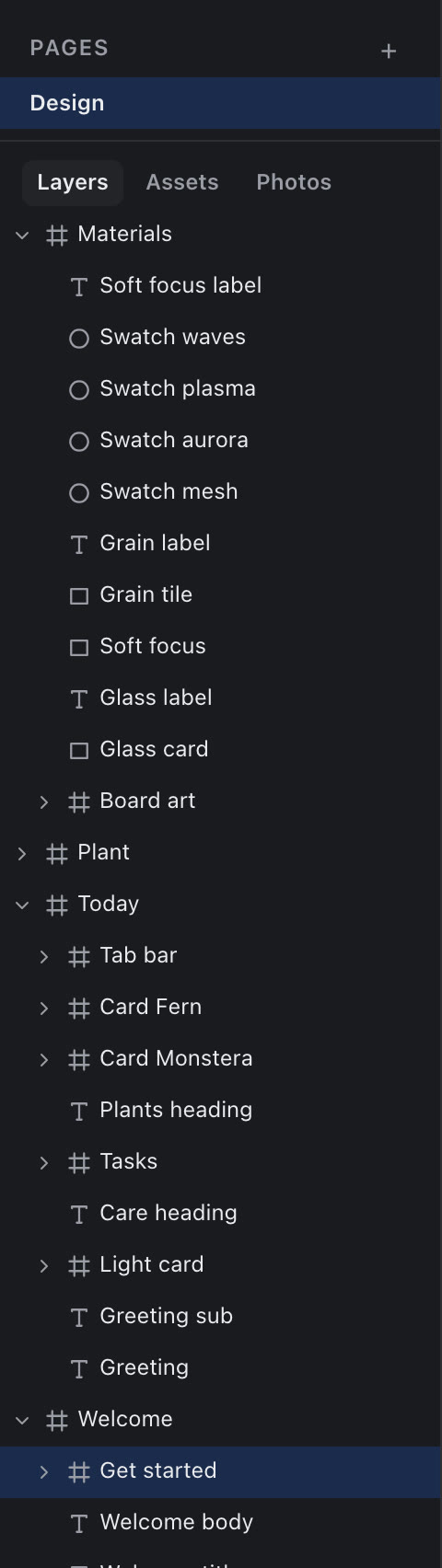
The AI drafts the screens in ordinary layers with auto layout. Then you pull them apart and make them yours.
- 05
Prototype
Link the screens and press Play. Then scan a code and tap through it on your own phone.
The pen
Yes, you can still draw.
Click for a corner, drag for a curve, click the first point to close. Give it a fill and a lighter edge, then draw the next leaf. Five leaves and a pot, in about a minute, and every curve stays a path you can reshape later.
Recorded in unfig · 2×
Everything your favourite paid design tool does, and much more. For free!
The toolkit
AI for the first draft. The design tools for the rest.
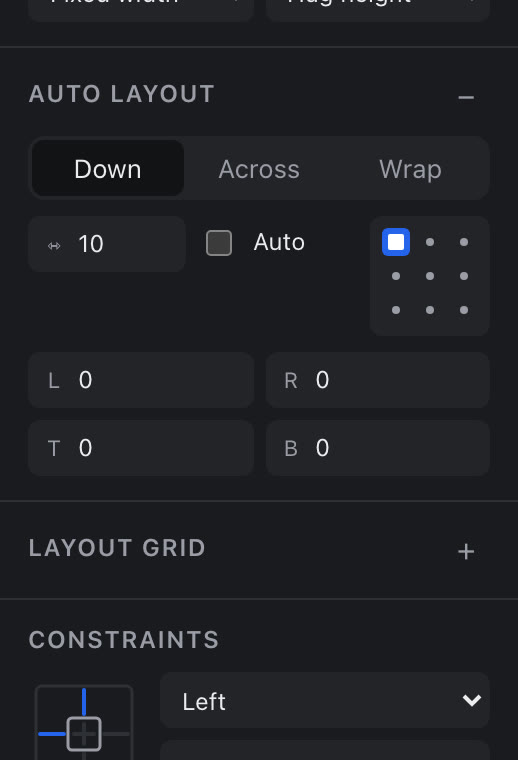
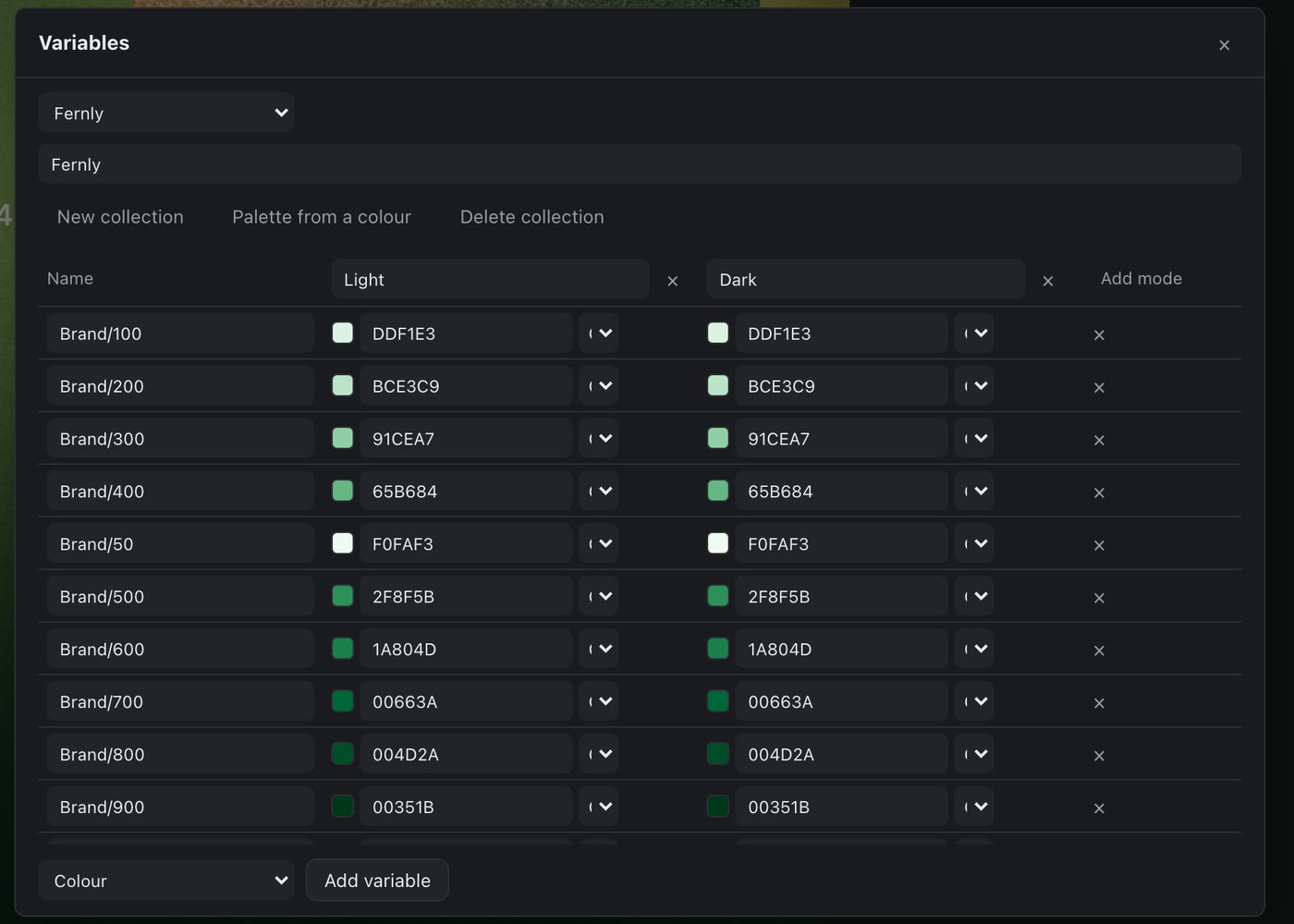
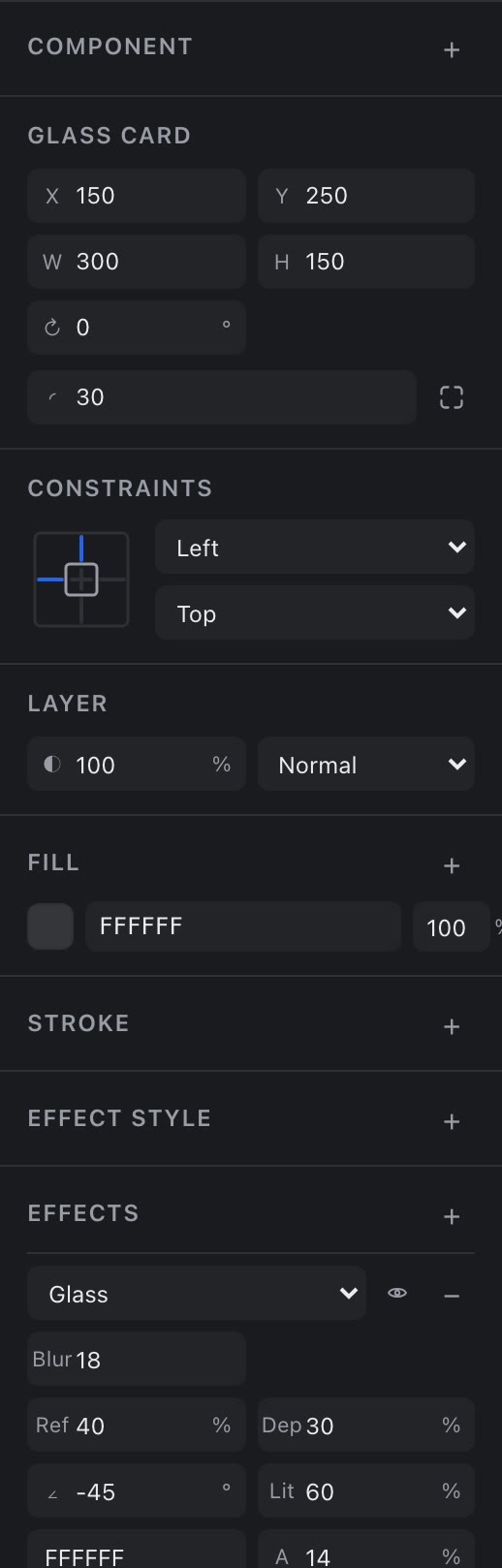
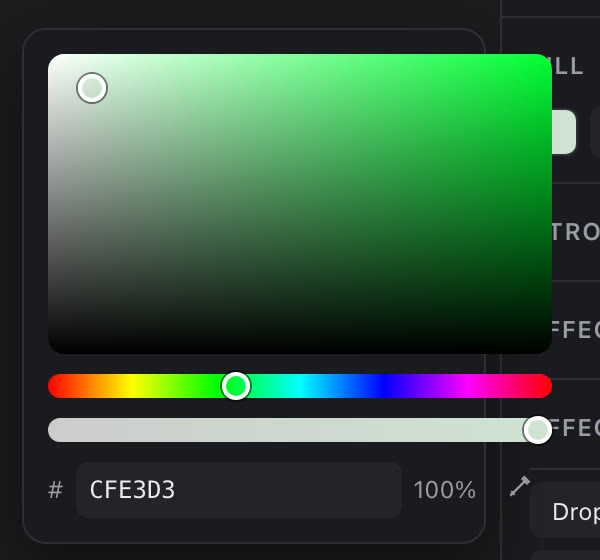
Everything the AI makes is ordinary layers you can drag, restyle or redraw. Auto layout, components, variables with light and dark modes, stacked effects and a proper colour picker: these are the real panels.

Materials
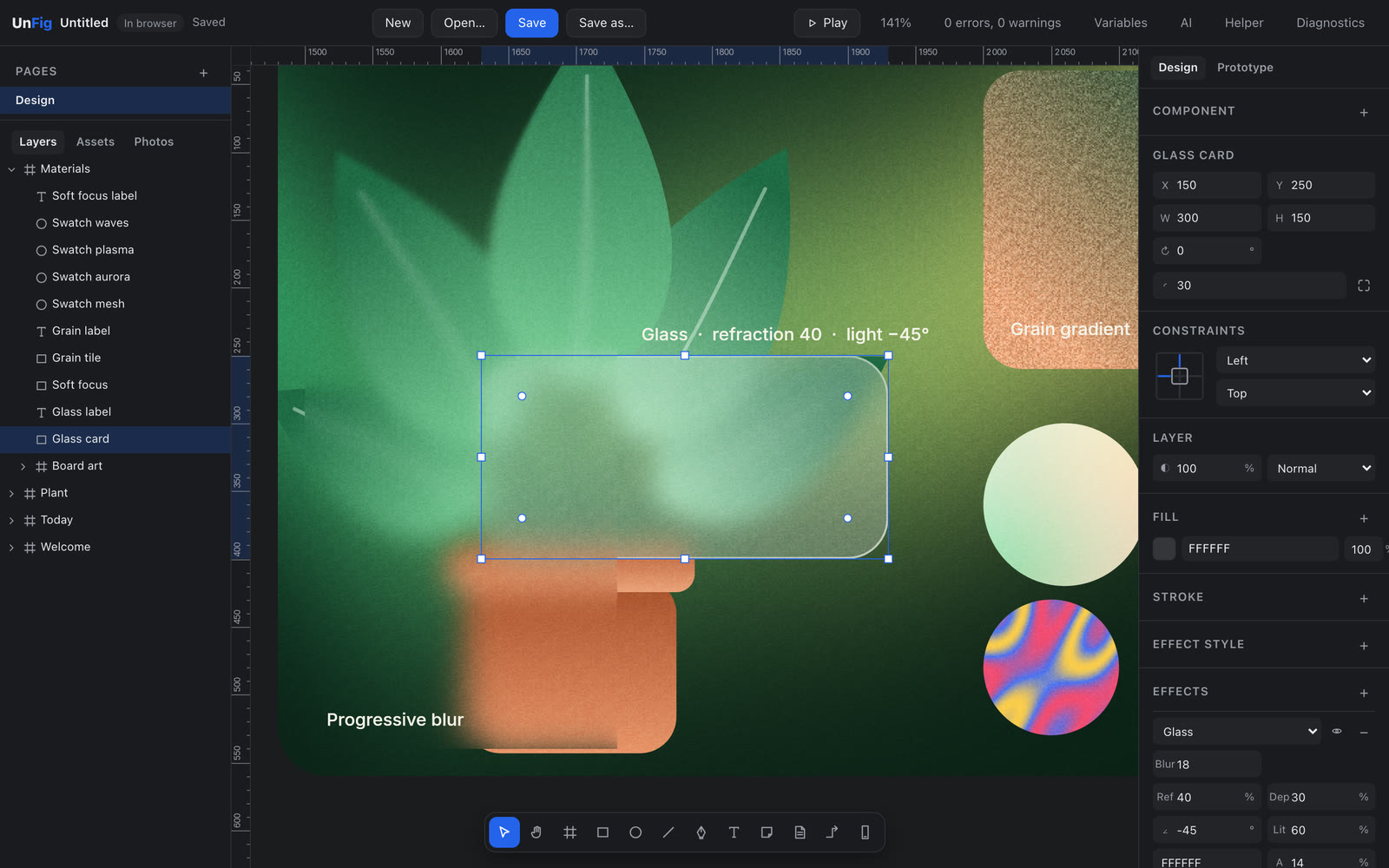
Glass bends what is behind it.
Zoom right in. Drag a glass card across the leaves and they bend through it, live on the canvas, with every setting still in the panel.
Recorded in unfig, zoomed on the canvas · 2×
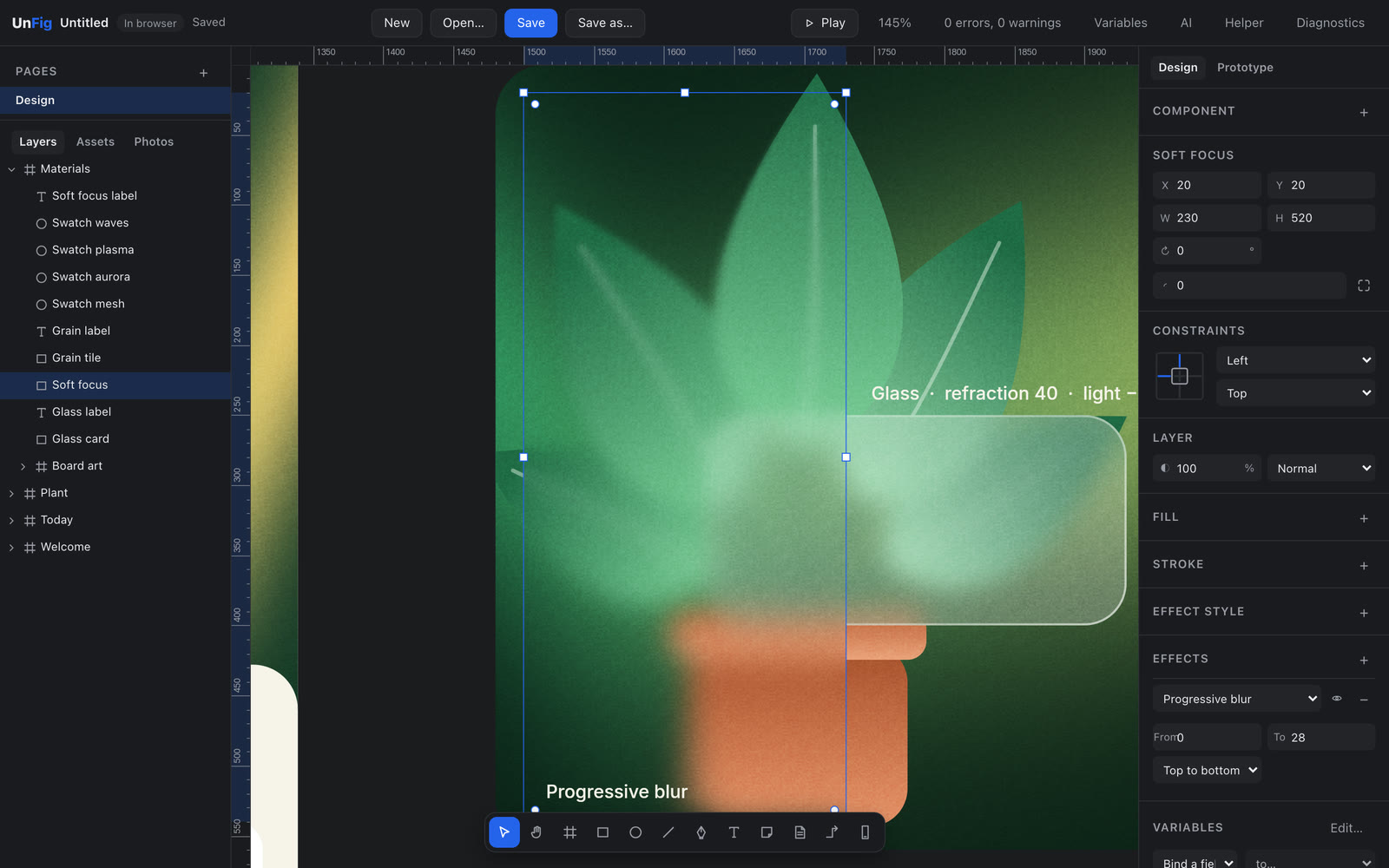
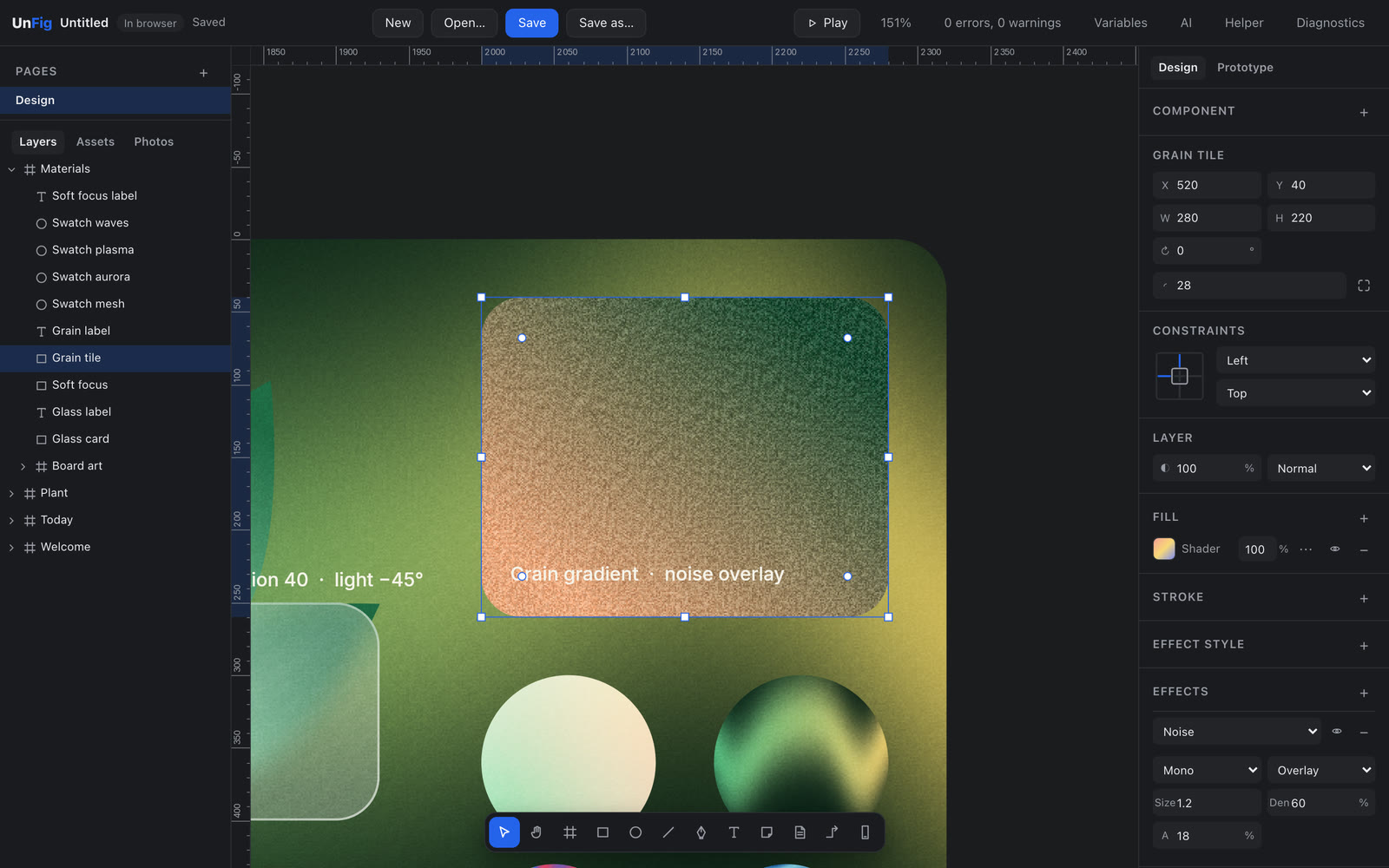
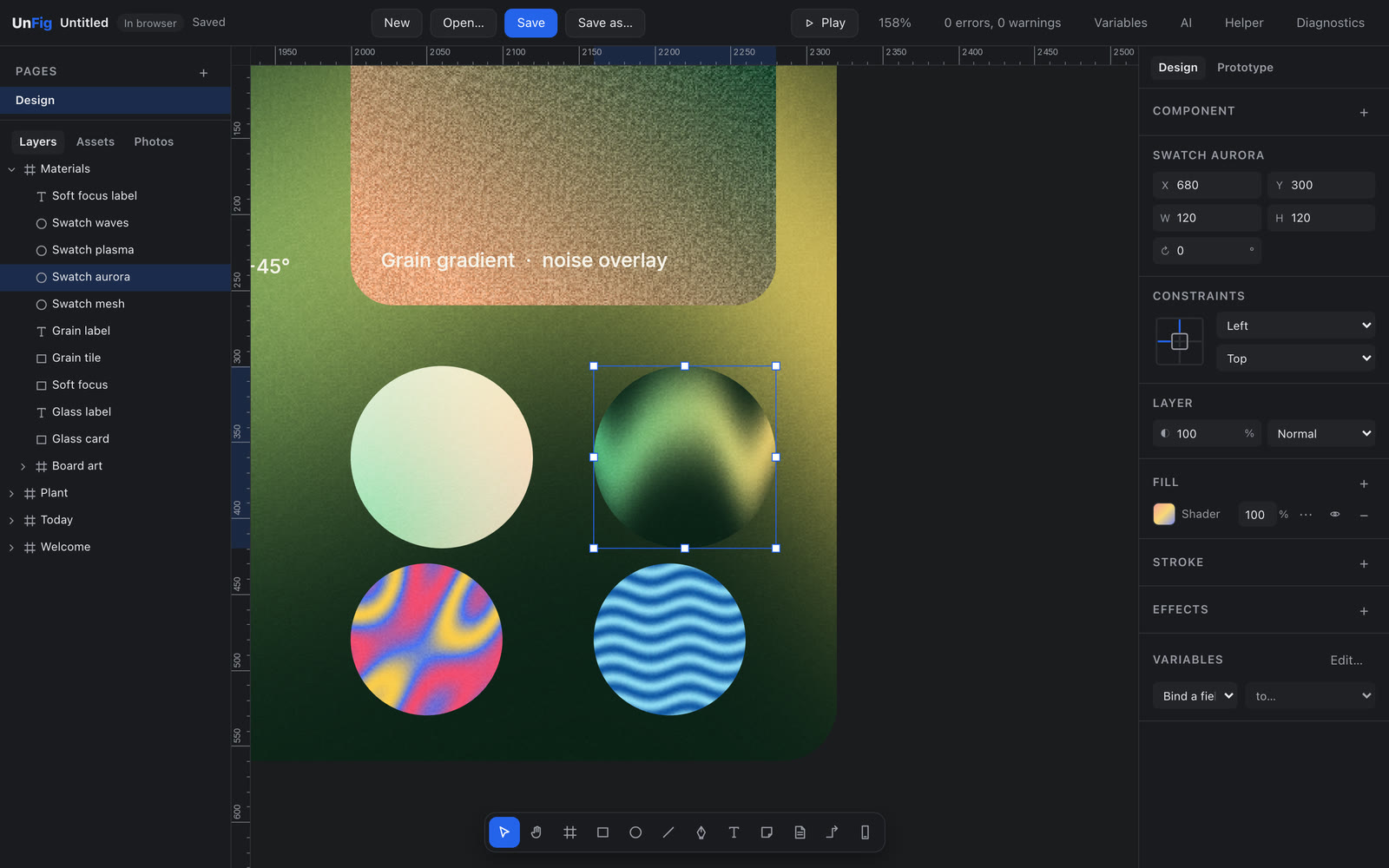
Hover a shot to look closer
Prototype
Drag a line, get a working app.
Drag a line from a button to a screen and it is linked. Pick how it moves, press Play, then hold it in your hand. These are recordings from unfig.
Three links, dragged in the Prototype tab · 2×
- Wire itDrag from any layer to a screen. Tap, hover, press or a delay sets it off.
- Animate itInstant, dissolve, smart animate, push, slide in or move in, with springs or curves.
- Play itPress Play for a phone frame, or share it to your phone and edit live.
Try a transition
Tap one. Watch it on the phone.
Smart animate: the card grows into the plant screen
Recorded in the player, at real speed
Where your key goes
Your key goes to your provider, and nowhere else.
Your key stays in this browser, or in your Mac's Keychain through the optional helper. Requests go from you to the AI you chose. There is no unfig server in the middle.
A file you own, not a login you rent.
What does unfig cost?
Nothing, for now. unfig is free while it is in early access. It will become a paid service soon, and the first 100 people to sign up keep it free forever.
How do I become one of the first 100?
Join the waitlist with your email. Places go in the order people sign up, and we will confirm your spot by email.
What will the AI cost me?
unfig adds nothing on top. You use your own key, so your provider bills you directly for what you use. Ollama runs on your own machine and costs nothing.
Where is my design stored?
In your browser as you work, and in a .unfig file you download and keep. There is no unfig server holding your work.
Who can see my AI key?
Your key stays in this browser, or in your Mac's Keychain through the optional helper, and is sent only to the provider it belongs to. A separate key with a spending limit is a good idea.
Is my work used to train AI?
unfig does not collect your designs. What happens to a request is set by your account with the AI provider you chose.
Which AI can I use?
Claude, OpenAI, Google Gemini, OpenRouter, Groq, Mistral and DeepSeek with your own key, in any modern browser. On a Mac, the optional unfig helper adds Claude Code and other AI tools, and Ollama on your own machine.
I do not have an API key. Can I still use unfig?
Yes. Everything except the AI works with no setup. For the AI, Google Gemini, Groq and OpenRouter offer some free use with a key from their sites, with limits they set. On a Mac, Ollama runs models on your own machine for free, through the optional helper.
Do I need an account?
No. Open unfig and start. Your email is only needed for the waitlist and a founder spot.
Which browsers and computers?
Chrome and Safari today, on a Mac. unfig runs in the browser, so Chrome on Windows and Linux should work too, but we test on a Mac for now. The optional helper is Mac only.
Does it work offline?
Yes. Your work saves in the browser as you go. Only your AI provider needs a connection.
Can I try a prototype on my phone?
Yes. Share it on your Wi-Fi with a QR code, or anywhere through a relay you run yourself. Edits arrive as you make them.
What happens to my files when paid plans start?
They stay yours. A .unfig file lives on your machine, and you can download it whenever you like.
Start with a sentence.
unfig opens on Tuesday 10 November. Join the waitlist now: the first 100 keep it free forever.